In 2026, Anthropic's Claude ecosystem—spanning Claude web workspaces, Projects, Claude Code, and MCP toolchains—has become daily mission-critical infrastructure for engineering teams, analysts, and cross-border operators. Yet a frustratingly common failure pattern persists: newly registered accounts get hit with "Your account has been disabled" within five minutes of SMS verification, or accounts that worked fine on the free tier are suspended the moment a user upgrades to Claude Pro or Team.
Solving instant sign-up bans and billing suspensions requires looking beyond ad-hoc node switching. Anthropic's anti-abuse architecture does not rely on a single static IP blocklist; instead, it runs a Continuous Trust Evaluation model across four lifecycle checkpoints: network admission, upstream SSO identity, session fingerprint continuity, and payment geo-alignment. In this 10-minute engineering guide, we unpack how those trust signals interact and walk through a repeatable setup for long-term account preservation.
Compliance and Acceptable Use Notice: This guide is designed for legitimate distributed teams, developers, and commercial organizations operating within supported regions who need clean network isolation to prevent false-positive risk flags caused by noisy shared IPs. Always abide by Anthropic's Terms of Service and Acceptable Use Policy (AUP), and use authentic mobile numbers and authorized corporate or personal payment instruments.
1. Why Accounts Get Disabled: Inside Claude's 4-Layer Trust Evaluation Matrix
Many users assume an account ban was triggered by their most recent prompt, when in reality the account's internal trust score had already dropped below threshold during sign-up or checkout. By correlating edge challenge telemetry (such as Cloudflare Turnstile), IP registry reputation, browser storage state, and Stripe Radar payment signals, the platform evaluates four primary dimensions:
| Evaluation Layer | Core Telemetry Evaluated | High-Risk Triggers (Common Ban Causes) | Typical Suspension Timing |
|---|---|---|---|
1. Network and IP Registration | Exit IP purity, fraud score, datacenter vs. residential classification, and whether IP registration country matches the service region. | Signing up over public VPNs, crowded datacenter ranges, or cross-border broadcast IPs whose GeoIP city differs from the underlying IP registration country. | Endless Turnstile loops at sign-up or automatic suspension within 5–30 minutes. |
2. Upstream SSO Identity | Email domain reputation, OAuth provider account age/security posture, and 2FA verification history. | Disposable email domains, freshly scripted bulk mailboxes, or raw email magic-link sign-ups from untrusted networks. | Flagged and disabled on initial workspace initialization. |
3. Browser and Session Continuity | Cookie / IndexedDB isolation, system timezone, Accept-Language headers, and geographic stability across logins. | Logging into a new account inside a browser profile that previously held a disabled account, or hopping across US, Singapore, and Tokyo IPs within hours ("impossible travel"). | Swept during asynchronous risk audits 24–72 hours after creation. |
4. SMS and Billing Alignment | SIM carrier type (physical vs. VoIP), card issuer reputation, and consistency between login IP country and billing address. | Public SMS-receive numbers, VoIP burner numbers, repeated declined virtual prepaid cards, or mismatched login IP vs. billing country. | Auto-refunded and disabled within minutes of clicking Upgrade to Pro/Team. |
Once you view account health through this matrix, the preservation strategy becomes straightforward: deliver clean, non-contradictory, single-tenant signals at every checkpoint rather than fighting individual verification screens.
2. Step 1: Build a Zero-Contamination Foundation (Native Registered IP + Clean Gmail Anchor)
Before visiting Claude's sign-up page, align your network layer, browser container, and upstream OAuth identity so no residual blacklist markers carry over.
1) Lock a Dedicated Static Residential IP with Native Registration
Shared proxy pools suffer from severe neighbor contamination: if another user on the same exit IP triggers rate limits or policy violations, every subsequent session inheriting that IP starts with a penalized trust score. Similarly, cross-border broadcast IPs often pass basic GeoIP lookups but fail deeper registry checks when the IP's registered country does not match its announced location. Enforce a strict 1 Claude Workspace : 1 Isolated Browser Profile : 1 Dedicated Static IP rule:
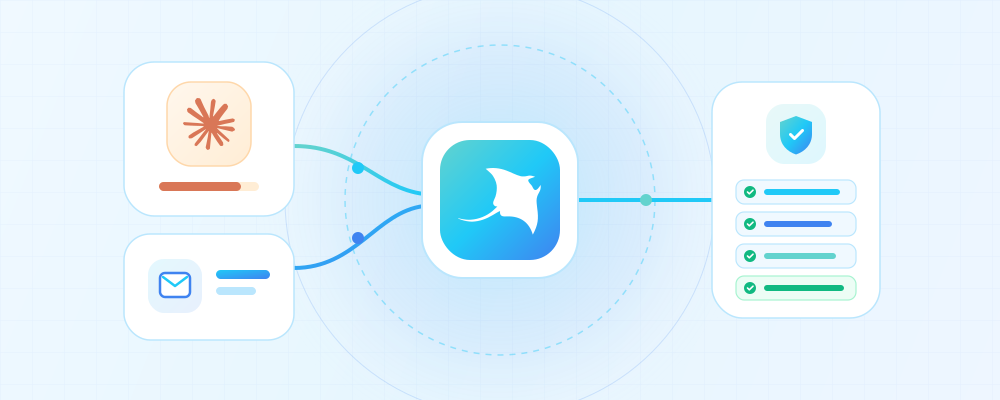
- Primary Choice for Sign-Up and Pro Billing: Provision a MantaProxy Native Static Residential Proxy in a supported region (such as United States or United Kingdom). Native residential proxies guarantee a native IP registration location—every IP's registered country is 100% consistent with its physical target country (never a cross-border broadcast IP) and is 100% dedicated to you with zero prior abuse history.
- Alternative for Long-Term Daily Team Sessions: For steady daily research and engineering workflows, a dedicated Static ISP Proxy also provides a fixed residential network identity with unmetered traffic and zero mid-session IP rotation.
- Browser Container Isolation: If your organization manages separate regional or client workspaces, bind each static proxy inside an isolated AdsPower browser profile so timezone, WebRTC, and
Accept-Languageautomatically match the proxy's country (see step-by-step setup guides in the MantaProxy Integrations Hub).
Before proceeding, open MantaProxy's Free IP Purity Checker inside that exact browser profile to confirm your exit IP region, zero WebRTC/DNS leaks, and a clean fraud score.
2) Use a Hardened Gmail Account as Your Upstream OAuth Anchor
At Claude's authentication screen, authenticating via Continue with Google transfers substantially stronger human trust signals than requesting a one-time magic link to an unverified mailbox—provided the Google account itself was cleanly provisioned.
If you do not yet have a dedicated commercial Google identity for this environment, follow our companion guide first: How to Register a Commercial-Grade Gmail Account in 2026: Browser Isolation, Static ISP Proxies, and QR Verification. Create and 2FA-harden that Gmail account inside the exact same isolated browser profile and dedicated static IP, let it settle for 24–48 hours of normal activity, and then use one-click Google OAuth to initialize your Claude account.
3. Step 2: Clean Claude Registration and Mobile Verification Hygiene
With your isolated profile, native-registered static IP, and hardened Gmail session active, complete onboarding at a natural human cadence:
- Authenticate via Google SSO in the Same Profile: Ensure no conflicting system-wide VPNs or traffic-modifying extensions are running, then select Continue with Google.
- Complete Mobile SMS Verification with a Real SIM: Use an authentic mobile number from a supported country. Never use public online SMS-receive websites or recycled disposable VoIP numbers—those shared numbers are linked to hundreds of previously banned accounts and will taint your trust score immediately, even if the 6-digit OTP arrives.
- Avoid Rapid OTP Retry Spikes: If international carrier routing delays the SMS by 20–30 seconds, wait calmly rather than clicking resend five times in a row, which triggers automated velocity defenses.
- Warm Up Over the First 48 Hours: After completing workspace onboarding, use the account naturally for normal coding or writing tasks over the first one to two days on the same static IP before running heavy long-context workloads or changing billing settings.
4. Step 3: Billing Geo-Alignment When Upgrading to Claude Pro or Team
Why do so many accounts survive free usage only to be disabled minutes after upgrading to Claude Pro? Because checkout triggers a second-stage fraud evaluation across Stripe Radar and regional compliance rules. Follow three alignment rules during payment:
- Maintain Three-Way Country Alignment: Keep your login IP's registered country, payment card billing country, and account tax address consistent. For example, when operating on a US Native Static Residential IP, pair it with an authorized card carrying a valid, consistent US billing address rather than mixing a European proxy exit with a randomly generated US tax-free street address.
- Never Perform Rapid Card Testing: If a card is declined due to issuer cross-border controls or unsupported prepaid BINs, stop after 1–2 attempts. Cycling through three or four virtual prepaid cards in one session is a classic card-testing signature that triggers instant automated account suspension.
- Official Mobile In-App Subscription Option: Users with a properly configured regional Apple ID or Google Play account (provisioned via the same isolation principles in our 2026 Gmail Setup Guide) can also subscribe through the official Claude iOS or Android app on a dedicated device connected to the matching static residential proxy.
5. Step 4: Long-Term Account Preservation Checklist for Daily and Developer Use
Once your Claude Pro or Team workspace is active, long-term preservation comes down to keeping session telemetry predictable and uncontaminated:
- Keep One Fixed Static IP Long-Term: Avoid switching between US, Japan, Singapore, and European nodes across workdays. Renewing and holding the same dedicated static IP (compare multi-month discounts on the MantaProxy Pricing page) ensures every login looks like a consistent resident office or home connection.
- Never Reuse Tainted Browser Storage: Residual cookies, LocalStorage keys, and Service Workers from a previously disabled account will immediately link and flag a replacement account. Always provision a fresh AdsPower profile for each workspace.
- Never Expose Web
sessionKeyCookies to Shared Reverse Proxies: Pasting browser session tokens into third-party shared "Claude mirror pools" or unofficial web-to-API scrapers exposes your session to multi-IP concurrency and robotic 24/7 request patterns—a guaranteed ban trigger. For programmatic workflows and CI/CD pipelines, always use official Anthropic Console API keys. - Follow Calm Official Appeal Procedures if False-Positived: If an account used legitimately is mistakenly flagged during a platform risk sweep, do not panic-register five new accounts on the same setup. Submit Anthropic's official Appeal Form with your registered email and billing context; clean single-tenant accounts have a significantly higher manual reinstatement rate.
Conclusion: Protect Your AI Workspace Context with Deterministic Network Hygiene
In 2026, a mature Claude workspace—holding months of curated Projects knowledge bases, custom artifacts, and engineering context—is far more valuable than the cost of a dedicated IP. By combining a clean Gmail OAuth identity anchor, strict browser profile isolation, and a MantaProxy Native Static Residential Proxy with genuine native IP registration, your team can step off the account-ban treadmill and focus entirely on high-leverage work.