As social algorithms on TikTok, Instagram Reels, and RedNote (Xiaohongshu) shift toward mobile-first telemetry, growth teams frequently ask: "Do I need a Cloud Phone farm, an Anti-Detect Desktop Browser, or just clean residential proxies?"
The short answer is that proxies provide the network layer, while cloud phones and anti-detect browsers provide the device container layer. Choosing the right combination depends on whether your workflow runs inside a mobile native app or a web dashboard.
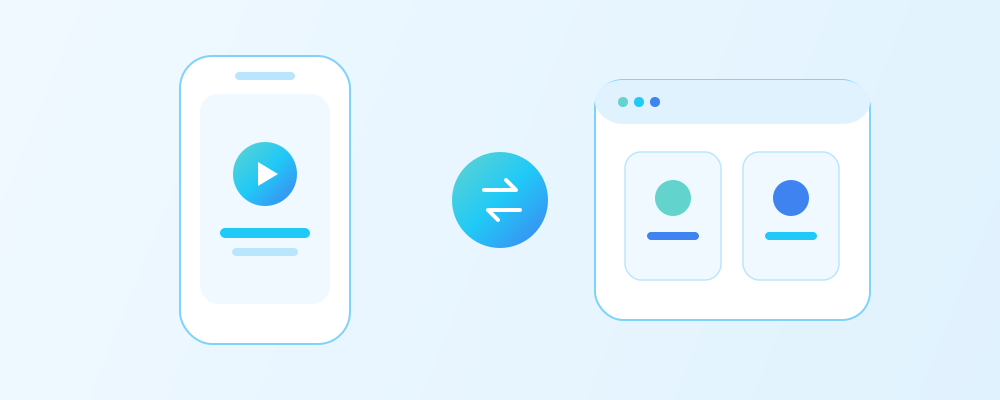
1. Desktop Fingerprint Browsers vs. ARM Cloud Phones
| Feature Dimension | Anti-Detect Browser (Desktop Web) | Cloud Phone / Mobile Box (Native App) |
|---|---|---|
| Underlying OS Kernel | Chromium / Firefox on Windows or macOS | Virtualized ARM Android OS in cloud datacenter |
| Hardware Telemetry | Spoofs Canvas, WebGL, AudioContext, Navigator API | Emulates IMEI, Android ID, SIM operator code, gyroscope |
| Ideal Platform | Facebook Ads, Amazon Seller, X, Reddit, LinkedIn, Web scraping | TikTok Live/Short Video publishing, Instagram Reels, WhatsApp |
| Required Proxy Protocol | HTTP(S) or SOCKS5 per browser profile | SOCKS5 UDP/TCP bound at virtual device or router level |
2. Why Your Proxy Still Determines Account Survival & Organic Views
Whether you use an AdsPower desktop profile or an Android cloud phone, the platform's edge servers inspect your network path before reading device parameters:
- Zero-View Jail on Short Video Platforms: If a cloud phone connects through a flagged hosting ASN or a shared IP used by 30 other accounts, newly uploaded videos are silently throttled to 0–50 views.
- SIM Country vs. IP Country Alignment: On cloud phones, your virtual SIM country code (MCC/MNC), system timezone, and Native Static Residential IP country must match 1:1.
- Session Continuity: Switching IPs every time you boot a cloud phone mimics impossible travel. Always bind one static IP permanently to one device container.
3. Recommended Hybrid Matrix Architecture
- Content Publishing & Live Streaming: Pair ARM Cloud Phones with MantaProxy Native Static Residential SOCKS5 Proxies in your target country (e.g., US, UK, JP, or Southeast Asia).
- Ad Management, Community Seeding & Store Operations: Use Multilogin or GoLogin desktop profiles paired with Static ISP Proxies for fast dashboard loading and rock-solid login sessions.
Deep-Dive Engineering Architecture & Implementation Guide
In real-world production deployments covering ARM Android cloud phones versus desktop anti-detect browsers for TikTok and social media account matrices, engineering teams quickly discover that surface-level proxy configuration is not enough. Target platforms across TikTok Short Video & Live, Instagram Reels, RedNote (Xiaohongshu), Facebook Ads, X (Twitter), and Reddit evaluate every incoming connection across three synchronized telemetry planes: Network Autonomous System (ASN) & RIR reputation, Transport-Layer (TCP/TLS/HTTP2) handshake consistency, and Application-Layer session persistence.
By pairing Native Static Residential SOCKS5 Proxies with Anti-Detect Browser & Cloud Phone Integration inside your Global Social Media Matrix Solutions workflow, you establish deterministic isolation that prevents cross-account contamination and eliminates unpredictable bandwidth surcharges.
Production Verification & CLI Code Blueprint
Before scaling your worker pool or binding dozens of profiles, run the following verification blueprint to validate routing hygiene, credential authentication, and protocol alignment (SOCKS5 TCP/UDP mobile container routing, SIM MCC/MNC alignment, and desktop Chromium fingerprint isolation):
# Verify proxy UDP/TCP connectivity and country alignment before binding to a Cloud Phone
curl -s -x socks5h://USER:PASS@us-native.mantaproxy.com:10000 https://ipinfo.io/json
# Ensure timezone and country code match your Cloud Phone MCC/MNC settings:
# US (AT&T/T-Mobile): MCC=310, Timezone=America/New_York or America/Los_Angeles
# UK (BT/Vodafone):   MCC=234, Timezone=Europe/London
Pro Tip: Always test newly provisioned endpoints against the MantaProxy Free IP Purity Checker first to confirm that the exit IP, ASN classification, recursive DNS resolver, and regional timezone match your target market 1:1.
Common Error Codes, Failure Modes & Diagnostic Playbook
Even with high-purity static proxies, misconfigured client libraries, OS-level DNS overrides, or aggressive concurrency settings can trigger avoidable blocks. Use the diagnostic matrix below to isolate and resolve issues in minutes:
| Symptom / HTTP Code | Root Technical Cause | Immediate Engineering Fix |
|---|---|---|
HTTP 407 Proxy Auth Required | Invalid sub-user credentials, special character encoding issue, or unsynced IP whitelist | Verify proxy username/password in the MantaProxy Usage Guide and URL-encode special symbols |
HTTP 429 Too Many Requests | Per-IP sliding window velocity exceeded or synchronized burst across workers | Introduce randomized log-normal jitter (1.5s–5.0s) and shard tasks across additional Native Static Residential SOCKS5 Proxies |
HTTP 403 / Turnstile Loop | TLS JA3/JA4 mismatch, HTTP/1.1 fallback, or rotating IP mid-session after cookie issue | Lock 1 static IP per session cookie jar and use Playwright or curl_cffi with HTTP/2 enabled |
Geo / Currency Mismatch | Local DNS leak (using socks5:// instead of socks5h://) or stale browser cookies | Enforce remote proxy DNS resolution (socks5h://) and align Accept-Language + timezone |
Connection Reset / Timeout | Client connection pool exhaustion or ephemeral port starvation under high concurrency | Reuse persistent Session / AsyncClient pools with bounded Semaphore limits |
Enterprise Scaling Blueprint & Cost-Performance Optimization
When scaling from a small pilot of 5 IPs to an enterprise matrix of 100+ dedicated nodes, optimizing your proxy tier mix can reduce total infrastructure spend by 40% to 65% while improving account survival rates:
- Tier 1 — High-Trust Account & Payment Anchors (Native Static Residential): Reserve 100% native local-carrier IPs for your highest-value revenue assets—such as flagship TikTok Live/Shop accounts, Amazon Seller Central logins, PayPal/Stripe checkouts, and localized ad-verification audits.
- Tier 2 — Daily Multi-Account Matrix & Fast Checkout (Static ISP Proxies): Use carrier-grade Static ISP proxies (starting at
$5.99 / IP / mowith unlimited traffic) for everyday multi-account social matrices, anti-detect browser profiles, localized SEO rank tracking, and low-latency retail drop tasks. - Tier 3 — High-Throughput Public Crawling (Dedicated Datacenter Proxies): Offload high-volume public catalog discovery, sitemap auditing, and open API polling to 10Gbps Dedicated Datacenter IPs (starting at
$3.99 / IP / mowith unlimited bandwidth) so you never waste residential capacity on static assets. - Lifecycle & Renewal Hygiene: Lock in 90-day, 180-day, or 360-day billing cycles on the MantaProxy Pricing Page and enable Auto-Renewal so long-term accounts never experience an unexpected IP change.
Frequently Asked Questions (FAQ)
Q1: Why do TikTok accounts get 0 views when posting from a desktop browser?
TikTok's web uploader runs stricter bot heuristics than its native iOS/Android app, and desktop uploads fail if paired with hosting ASNs or mismatched WebGL/timezone parameters. For high-volume short-video publishing and TikTok Live, pairing an ARM Cloud Phone (or real mobile device) with a Native Static Residential SOCKS5 proxy yields the highest organic reach.
Q2: Can I use the same Native Static Residential IP on both my Cloud Phone and my desktop anti-detect browser?
Yes, if both environments are managing the exact same social media account (for example, posting Reels from the Cloud Phone and replying to comments or running ads in the desktop browser for that same account). Do not use the same IP for two different accounts.
Q3: Does a Cloud Phone come with its own clean residential IP?
No. Cloud phones run inside commercial cloud datacenters, so their default outbound IP is a flagged datacenter ASN. You must bind an external Native Static Residential or Static ISP proxy to every cloud phone instance.
Q4: Should I use HTTP or SOCKS5 for Cloud Phones?
Always prefer SOCKS5 for Cloud Phones and mobile emulators, because mobile apps and live-streaming protocols rely on lower-level TCP/UDP socket connections that SOCKS5 handles natively.